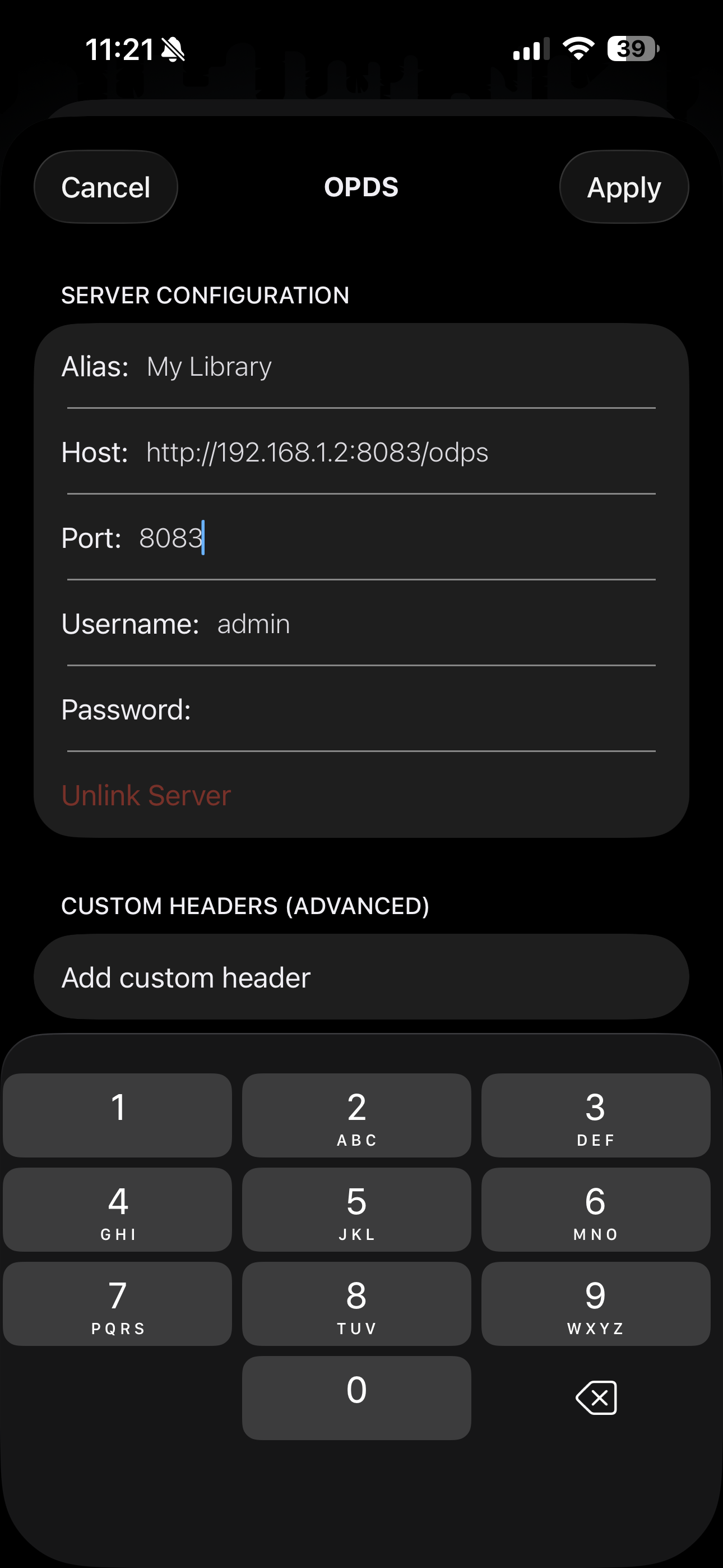
I have calibre web set up on my local home server and have ODPS set up and working on other ereader apps but can’t get it working on Panels. What am I missing?
Can’t upload more than 1 page mage as I’m a new user (strange logic) but the only difference between what is shown here and what is in my other app is that additional entry for the port. In my other app the port isn’t asked for.
Doubt it matters but this is all on my home network I’ll never use it outside of my WiFi.
Lastly, image shows no password but that is just my screenshot program blanking that out by default for some reason. Pass is in there.
I don’t have Calibre but had a similar issue setting up Kavita. First let’s do a checklist; is username and password correct? Secondly, is the url correct? Next, is the port correct? When it comes to this part I was pointing panels to the port Kavita ran on which failed. When I pointed it to 443 it started to work. My Kavita is behind nginx so I’m thinking since you’re using your local IP, try port 80 since you’re doing it locally. If my suggestions don’t help, review this previous users post. They managed to get it to work by disabling username and password.